FastPaste 3.18 review
DownloadPaste frequently used text, fill forms, insert passwords, with global hotkeys
|

|
FastPaste 2.62 is clipboard tools software developed by Dextronet.
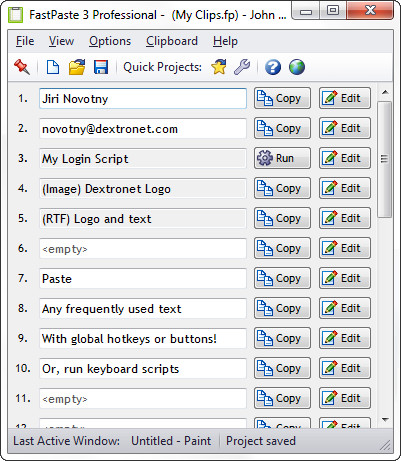
FastPaste can be used for pasting commonly used text phrases, formatted text and even images into the applications. There are 30 clips in every project. You can set hotkeys to clips or just click the icon every time. Data will be copied to the clipboard and automatically pasted (you may turn off auto paste). FastPaste have rich configuration and nice and clean user interface.
This system utilities software is shareware, which means you can download and use FastPaste 2.62 for free during the trial period (usually for 30 days). At the expiration of the period you will have to buy the clipboard tools product for $19.95. FastPaste 2.62 is available at regnow and Dextronet website.
FastPaste 2.62 supports different languages (including English). It works with Windows 98/XP/Vista.
Latest FastPaste 2.62 does not contain any spyware and/or advertise modules, allowing installing it with no worries concerning valuable information loss.
We has completely tested clipboard tools software FastPaste 2.62 many times, written and published the interesting article and uploaded installation file (1909K) to our fast server.
Downloading FastPaste 2.62 will take minute if you use fast ADSL connection.
FastPaste 3.18 keywords paste insert clipboard paste text paste commonly used text paste phrases paste phrase paste p